



Ransomware Attacks Are Rising: Here’s How to Protect Your Business Data
Have you ever told yourself, “We’re too small to be a ransomware target,” or “Our basic antivirus is enough”? If so, you’re not alone, but you might be making a critical mistake.
The truth is, attackers don’t just go after big corporations; they actually prefer small and medium-sized businesses, because they know many of you haven’t invested in robust security, making you easier to breach and quicker to profit from.
And while your basic antivirus is a good start, it is often no match for modern threats like ransomware, which are specifically designed to bypass traditional defenses. You need layered protection.
This isn’t an attempt to drive fear or sell you complicated, expensive solutions. It’s a call to drive simple, practical action.
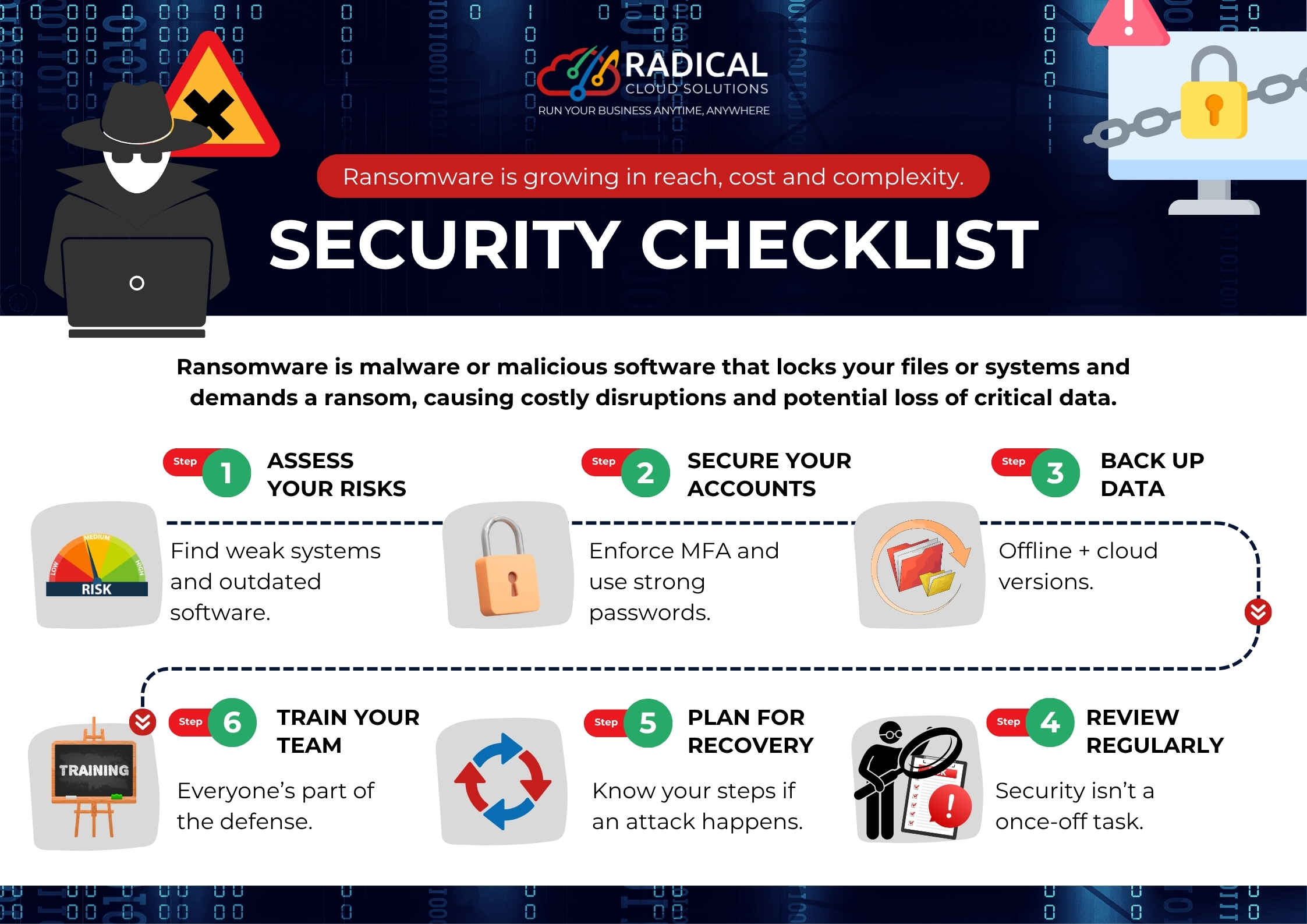
Your Cybersecurity Checklist:
-
Assess Your Risks: Know Thyself (and Your Vulnerabilities)
Before you can protect yourself, you need to know what you’re protecting against. This step is about looking inwards.
- Find Weak Systems: Are you still running that old server from five years ago? Is your point-of-sale system due for an upgrade? Outdated hardware can be a gaping hole in your defences.
- Outdated Software: Software updates aren’t just annoying notifications; they often contain critical security patches. Running old versions of operating systems, applications, or even your website’s content management system (CMS) leaves you vulnerable to known exploits.
Actionable Tip: Conduct a simple inventory of all your digital assets: computers, servers, mobile devices and software. Identify anything that’s past its prime or hasn’t been updated recently. Consider a professional vulnerability assessment if resources allow.
-
Secure Your Accounts: Your Digital Front Door
Your user accounts are often the first line of defense. Weaknesses here are like leaving your front door unlocked.
- Enforce Multi-Factor Authentication (MFA): This is non-negotiable. MFA (e.g., a code sent to your phone after entering your password) adds a crucial second layer of security. Even if a hacker gets your password, they can’t get in without that second factor.
- Use Strong, Unique Passwords: “Password123” just won’t cut it. Encourage long, complex passwords for all employees and use a reputable password manager to help manage them. Never reuse passwords across different services.
- Network segmentation & zero-trust mindset: Separate network zones so that infection in one zone doesn’t spread widely.
- Apply a zero-trust approach: verify every access request regardless of location.
Actionable Tip: Make MFA mandatory for all business accounts: email, cloud services, banking, and social media. Regularly review user access and remove credentials for former employees immediately.
-
Back Up Your Data: Your Safety Net
Imagine losing all your customer records, financial data, or crucial business documents in an instant. Data backups are your insurance policy against such a disaster.
- Offline Versions: Keep physical copies or backups on external hard drives that are disconnected from your network when not in use. This protects against ransomware that can encrypt online backups.
- Cloud Versions: Utilise reliable cloud backup services. They offer convenience, scalability, and often geographic redundancy, meaning your data is stored in multiple locations.
- Regular Testing: Backups are useless if they don’t work when you need them. Periodically test your recovery process to ensure your data can be restored successfully.
Actionable Tip: Implement an automated backup schedule (daily for critical data) and ensure you have both an offsite cloud backup and an offline local backup.
-
Train Your Team: Everyone’s Part of the Defence
Your employees are your greatest asset, but they can also be your biggest vulnerability if not properly trained. Human error is a common entry point for cyberattacks.
- Cybersecurity Awareness: Educate your team about common threats like phishing emails, suspicious links, and social engineering tactics.
- Best Practices: Teach them how to identify red flags, report suspicious activity, and understand the importance of secure password hygiene and data handling.
- Culture of Security: Foster an environment where security is everyone’s responsibility, not just IT’s. Promote a culture of “pause before you click.”
Actionable Tip: Conduct regular (e.g., quarterly) cybersecurity awareness training sessions. Use real-world examples and make it engaging.
-
Plan for Recovery: Know Your Steps When Disaster Strikes
Even with the best defenses, incidents can happen. A clear recovery plan minimises downtime and damage.
- Incident Response Plan: Document step-by-step what to do if an attack occurs. Who needs to be notified? What systems need to be shut down? How will data be restored?
- Communication Strategy: How will you communicate with customers, partners, and regulators if there’s a breach? Transparency and clear communication are key.
- Business Continuity: How will your business continue to operate, even in a limited capacity, during and after an incident?
Actionable Tip: Develop a simple incident response plan and ensure key personnel know their roles. Run tabletop exercises to practice the plan periodically.
-
Review Regularly: Security Isn’t a Once-Off Task
The cyber threat landscape is constantly evolving, and so should your security measures.
- Ongoing Vigilance: Cybersecurity is not a “set it and forget it” task. Regularly review your security posture, policies, and procedures.
- Stay Updated: Keep abreast of new threats and vulnerabilities relevant to your industry and region.
- Adapt and Improve: Based on reviews, make necessary adjustments and improvements to your security plan.
Actionable Tip: Schedule quarterly or semi-annual security reviews to assess your systems, policies and employee training.
–
Ransomware isn’t going away, but it doesn’t have to stop your business. With the right protection, awareness, and partners, you can recover quickly and even prevent attacks altogether.
Get in touch: [email protected]. Let’s make sure ransomware never locks up your business.